

Digital Forensics vs Computer Forensics: What Is the Difference?
Digital forensics services and computer forensics services are closely related disciplines used to identify, preserve, examine, analyze and present electronic evidence.
The key difference is scope: computer forensics focuses mainly on computers and their storage media, while digital forensics covers evidence from virtually any digital device, system or network. In other words, computer forensics is generally a specialized branch of the wider digital forensics field.
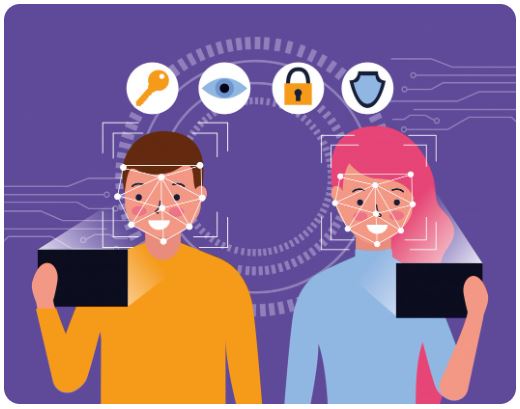
What is digital forensics?
Digital forensics services is the forensic handling of electronic evidence so that its integrity can be demonstrated and, where necessary, the evidence can be relied on in court, disciplinary proceedings, insurance claims, internal investigations, or incident-response reports. It is not merely “finding deleted files”: it requires a repeatable, documented process that avoids altering the original evidence.
A digital-forensics investigation may involve evidence from:
- Computers, laptops, servers and external drives
- Smartphones, tablets, SIM cards and smartwatches
- Email systems and cloud-storage accounts
- Network logs, firewall records and packet captures
- CCTV/NVR systems and digital cameras
- GPS devices, vehicle infotainment systems and dashcams
- IoT devices, such as smart doorbells, access-control systems and connected sensors
- Social-media platforms, messaging applications and online accounts
What is computer forensics?
Computer forensics services focuses on evidence contained in traditional computer systems and storage devices. These commonly include desktop PCs, laptops, servers, hard disks, SSDs, USB drives, memory cards and virtual-machine disks.
A computer-forensics examiner may investigate:
- Deleted or hidden documents
- Browser history, downloads and search terms
- User login activity and operating-system event logs
- USB-device connection history
- Email files and local application data
- Malware, ransomware artefacts and persistence mechanisms
- File metadata, including created, modified and accessed times
- Partition structures, unallocated space and recovered fragments of deleted data
- RAM captures and running processes, where available
Examples in practice
Example 1: Deleted files on an employee laptop
A company suspects that a departing employee removed client records before resignation.
A computer-forensics examiner would typically:
- Create a forensic image of the laptop drive.
- Verify the image using cryptographic hash values.
- Review user profiles, deleted files, Recycle Bin artefacts and unallocated space.
- Examine USB connection history and file-access artefacts.
- Identify whether records were copied, deleted, compressed or encrypted.
- Prepare a report explaining the findings and their forensic significance.
This is primarily computer forensics because the evidence is centred on the employee’s laptop and attached storage devices.
Example 2: Mobile-phone location and messages
An investigator needs to establish whether a person was near a particular location and communicated with another person at a relevant time.
The examiner might collect and analyse:
- Call logs and contact records
- SMS, WhatsApp or other messaging-app data, subject to lawful access and technical availability
- GPS coordinates and location-history artefacts
- Photographs, videos and their metadata
- Wi-Fi and Bluetooth connection records
- SIM-card and device identifiers
This is digital forensics, more specifically mobile-device forensics. It is not normally described as computer forensics because the primary evidence source is a smartphone.
Example 3: Ransomware attack on a business
A Nairobi company discovers that shared files have been encrypted and attackers are demanding payment.
The investigation could require:
- Forensic imaging of affected computers and servers
- Analysis of ransomware files, Windows Event Logs and endpoint telemetry
- Review of firewall logs, VPN records, DNS logs and network traffic
- Identification of phishing emails or stolen credentials
- Examination of cloud-account access and data-transfer logs
- Reconstruction of the attacker’s entry point, lateral movement and data-exfiltration path
The workstation and server analysis is computer forensics. The full incident investigation—combining endpoint, email, network and cloud evidence—is digital forensics.